In a nutshell
- 🔌 Cable management boosts productivity and safety by preventing tangles, reducing dust traps, and protecting connectors with proper strain relief and a surge-protected power strip.
- 🛠️ The perfect hack is a three-step under-desk system: mount an under-desk cable tray or adhesive raceway, centralise power with a surge strip, then tame tails using Velcro ties, clear labels, and magnetic clips.
- 📋 Smart setup tips: measure first, separate power and data runs, allow airflow for power bricks, and use gentle bends for HDMI/DisplayPort; renters can opt for quality 3M adhesive solutions.
- 🧩 Beyond the desk: hide TV leads with paintable trunking, keep studio audio quiet by routing power separately and using sleeves, and carry a travel kit with a mini surge-protected power strip and labelled short cables.
- ✅ Results that matter: cooler devices, fewer failures, faster cleaning, and a modular system you can reconfigure in minutes—an affordable, high-impact upgrade tech lovers can’t live without.
Every tech lover knows the creeping dread of spaghetti cables: snaking behind the monitor, tangling under the desk, gathering dust like it’s a hobby. It looks messy. It slows you down. It can even be unsafe. But there’s a smarter way. A simple, affordable system turns that chaos into quiet order, with better airflow, faster cleaning, and fewer failed chargers. Call it the one-and-done solution for tidy tech. Hide the mess, keep the access, win back your workspace. The best bit? You can install it in under an hour, with parts you’ll find on any UK high street or delivered tomorrow.
Why Cable Chaos Costs You More Than Time
Cluttered cables steal minutes every day. You jiggle, tug, guess, and eventually unplug the wrong thing. That’s productivity lost. It’s also money. Loose leads fray, power bricks overheat on carpet, and sloppy runs snag vacuum heads. Cable management isn’t vanity; it’s preventive maintenance. Tidy cables mean fewer failures, cooler gear, and safer floors.
There’s also the hygiene angle. Dust loves warm electronics. Bundled correctly and lifted off the floor, cables don’t trap fluff around vents. Your fans breathe. Your kit lasts longer. A neat rig makes upgrades painless too: label the HDMI, colour-code the USB-C, and you’ll hot-swap without a sigh. For home workers, tidy wiring supports a professional backdrop on camera and reduces accidental disconnects mid-call.
Safety matters most. Keep power away from signal where possible, use a surge-protected power strip, and avoid overloading outlets. Mind the trip hazards under a desk or across a lounge floor. A clean routing path with proper strain relief reduces damage at connectors and stops heavy bricks from dragging sockets loose. The result is quiet, cool, reliable. And it looks brilliant.
The Perfect Hack: The Three-Step Under-Desk System
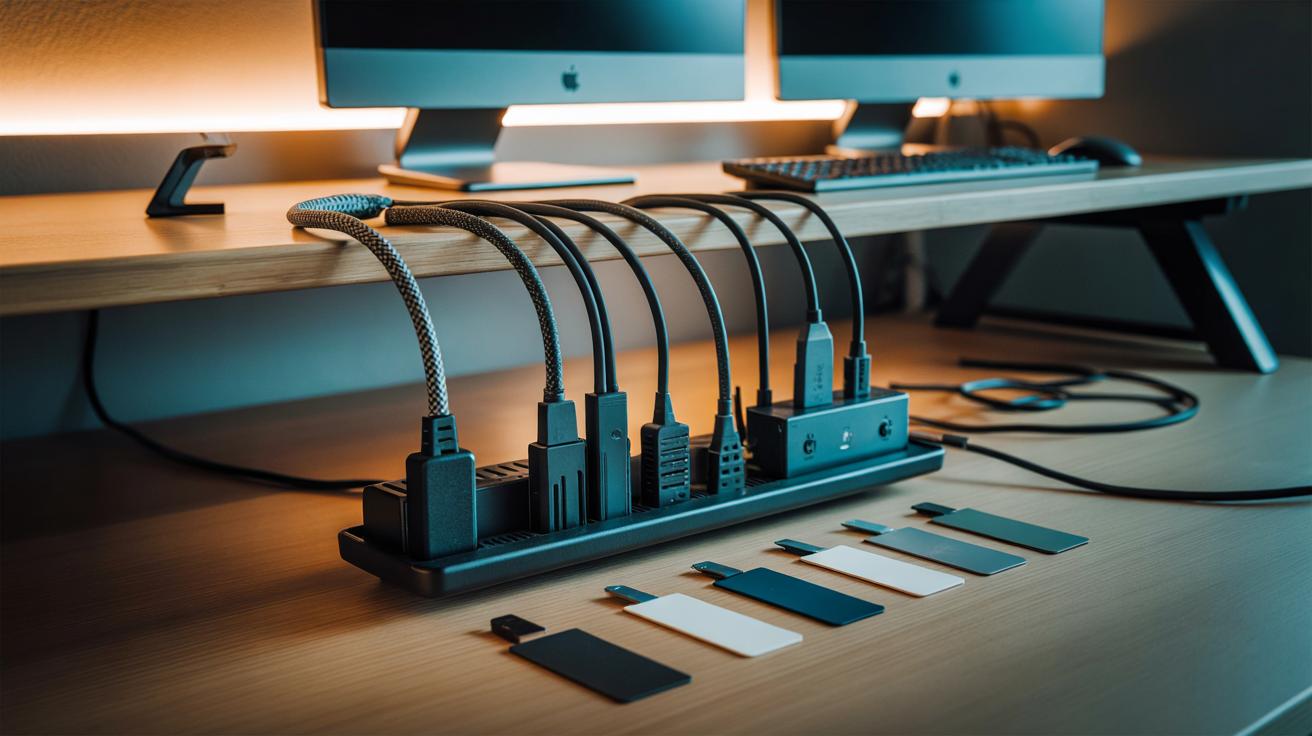
This is the hack tech lovers swear by. Step one: mount an under-desk cable tray or slim adhesive cable raceway beneath the desktop. Metal trays hold more; adhesive raceways suit renters. Place it towards the back edge to hide slack yet keep reach. Mount once, route forever. Check the load rating if you have chunky power bricks, and give hot adapters breathing room.
Step two: put a compact, surge-protected power strip in that tray. Now, instead of five plugs to the wall, you’ve got one. The strip becomes your hub: monitor, speakers, dock, charger all connect here. Use short patch leads where possible. Create a gentle loop for sit-stand movement if your desk rises, and never crush cables at hinge points. It’s clean, safe, and fast to service.
Step three: tame the tails with Velcro ties and cable labels. Bundle per device, not per length. Mark both ends: “Monitor,” “Audio,” “Ethernet.” Add magnetic cable clips on the desktop edge so your phone lead waits at attention, not on the floor. Small changes beat expensive overhauls. The magic is modularity: swap the laptop, keep the system. You’ll wonder why you lived without it.
What You Need and How to Fit It
Gather a few inexpensive parts and you’re set. Choose quality where it counts and you’ll only buy once. The essentials below suit a typical home or office setup; adjust for studios or gaming battlestations.
| Item | Typical Cost (UK) | Best For | Key Benefit |
|---|---|---|---|
| Under-desk cable tray | £15–£35 | Multiple bricks/leads | High capacity, good airflow |
| Adhesive raceway | £10–£25 | Renters, light setups | Tool-free, paintable covers |
| Surge-protected power strip | £12–£30 | PC, monitors, chargers | Safety, single wall plug |
| Velcro ties & labels | £5–£12 | All cables | Reusable, identifiable runs |
| Magnetic/adhesive clips | £6–£15 | Desktop leads | Grab-and-go convenience |
Measure first. Map power left, data right, leaving a small gap to reduce interference. Keep chunky bricks spaced, not stacked. Pre-label both ends before routing; it’s faster than backtracking later. If screwing a tray into a laminated desk, use short wood screws and check for embedded metal. Renters can choose 3M adhesive raceways that peel cleanly; test on a hidden patch.
For monitor arms, run a slim cable sleeve along the arm for a single tidy line. Create gentle curves, never tight bends, especially for DisplayPort and fibre optic HDMI. Vacuum the area once finished; dust shows where airflow was blocked. Hide paths, not power: keep plugs accessible enough to cut power quickly if needed.
Beyond the Desk: Living Room, Studio, and Travel
The same system scales beautifully. Behind a TV, mount an adhesive raceway along the back of the cabinet or wall, then park a low-profile power strip inside a ventilated media unit. Label each console and set-top box, and use 0.5 m patch cables to kill spaghetti. For wall-mounted screens, slim paintable trunking runs vertical to the socket; it looks intentional, not improvised.
In studios, separate power and audio to avoid hum. Group microphones and interfaces in a braided sleeve, and route mains to the opposite side with a cable ladder or tray. Add strain relief at rack units to protect sockets during patching. Discipline at the back makes silence at the front.
On the move, keep a pouch of short, labelled leads: USB-C, Lightning, a tiny travel power strip with surge protection, and a couple of Velcro ties. Use a magnetic cable wrap so chargers don’t knot in your bag. Hotel desk? Clip your phone cable to the table edge with a mini magnetic dock and you’ll never crawl for it at midnight. One tidy habit, everywhere you plug in.
Clean cables are more than aesthetic; they’re calmer days, cooler devices, fewer failures, and faster fixes. The under-desk system is the rare upgrade that saves time every week and pays back in reliability. Start small. One tray, one strip, one set of labels. Then extend the logic to your TV bench, studio rack, or backpack. Order is contagious once you see the difference. What will you tackle first: the snarled desk, the humming TV stand, or the travel kit that always ties itself in knots?
Did you like it?4.5/5 (25)